 donald
Smart lighting design transforms ordinary spaces into adaptive environments that respond to your needs throughout the day, combining aesthetic ambition with the programmability of connected fixtures, sensors, and control systems. This isn’t about swapping a few bulbs for smart alternatives. It’s about creating layered lighting schemes where ambiance, task illumination, and accent features work together through automated routines, scene presets, and intelligent triggers that adjust color temperature, brightness, and focus based on time, occupancy, or activity.
The challenge lies in balancing technical infrastructure with design principles that have guided quality lighting for decades. You need to understand load requirements, network topology, and compatibility between platforms while also considering beam angles, color rendering, and the interplay of direct and indirect light sources. Poor planning results in disconnected fixtures that operate in isolation, uneven coverage that leaves dark zones, or over-automation that frustrates rather than simplifies daily life.
Successful smart lighting design starts with defining zones and their functions, then selecting the right combination of overhead fixtures, accent lights, and task lamps that can deliver both manual control and intelligent automation. Whether you’re outfitting a residential space, a retail environment, or a hospitality venue, the process demands attention to circuitry, dimming protocols, and the visual quality of light itself.
This guide walks through the strategic planning framework that separates effective smart lighting systems from expensive disappointments. You’ll learn how to map your space for optimal coverage, choose components that integrate smoothly, and build automation routines that enhance rather than complicate your environment. The goal is a system that feels intuitive, looks intentional, and adapts seamlessly to how you actually use your space.
What Smart Lighting Design Actually Means in 2026
Smart lighting design in 2026 has evolved far beyond swapping traditional bulbs for app-controlled alternatives. It’s a comprehensive approach that treats lighting as a dynamic architectural element, where aesthetic principles guide technology implementation rather than technology dictating design choices.
At its core, smart lighting design integrates three disciplines that were once separate: traditional lighting design (understanding how light shapes space and affects mood), interior architecture (knowing where and how people use rooms), and control technology (making systems respond intelligently to needs). When these elements work together properly, the result feels effortless, lights that brighten your kitchen counter precisely when you start cooking, accent lighting that shifts throughout the day to complement natural light, or conference room illumination that adapts automatically from presentation mode to collaborative work settings.
- Smart Lighting Design
- The practice of creating lighting systems that combine aesthetic principles with intelligent technology to respond dynamically to user needs, environmental conditions, and space functions.
- Lighting Integration
- Coordinating multiple lighting layers, control interfaces, and automation triggers to work as a cohesive system rather than isolated smart devices.
- Control Systems
- The combination of physical interfaces (switches, sensors), software (apps, voice commands), and automation logic that allows users to manage lighting behavior intuitively.
- Adaptive Lighting
- Illumination that changes automatically based on time of day, occupancy, activity type, or environmental factors like available daylight, without requiring manual intervention.
The distinction between purchasing smart products and implementing smart lighting design becomes clear when you consider outcomes. Buying smart bulbs gives you individual fixtures you can dim or change colors through an app. Smart lighting design creates environments where your living room automatically transitions from energizing daylight-mimicking tones during morning coffee to warm, relaxed evening ambiance as the sun sets, with task lighting over your reading chair responding to occupancy while maintaining the overall scene.
This approach requires upfront planning, understanding how you actually use spaces, which activities need dedicated lighting support, and how different fixtures should coordinate. The technology serves the design vision rather than becoming the focus itself, resulting in spaces that feel thoughtfully crafted rather than gadget-filled.
Core Principles of Smart Lighting Design Integration
Layering Light With Intelligence
Traditional lighting design has long relied on layering three fundamental types of light: ambient for overall illumination, task for specific activities, and accent for highlighting architectural features or artwork. Smart lighting design takes this proven framework and adds a fourth dimension, intelligent responsiveness that transforms static layers into dynamic compositions that adapt throughout the day.
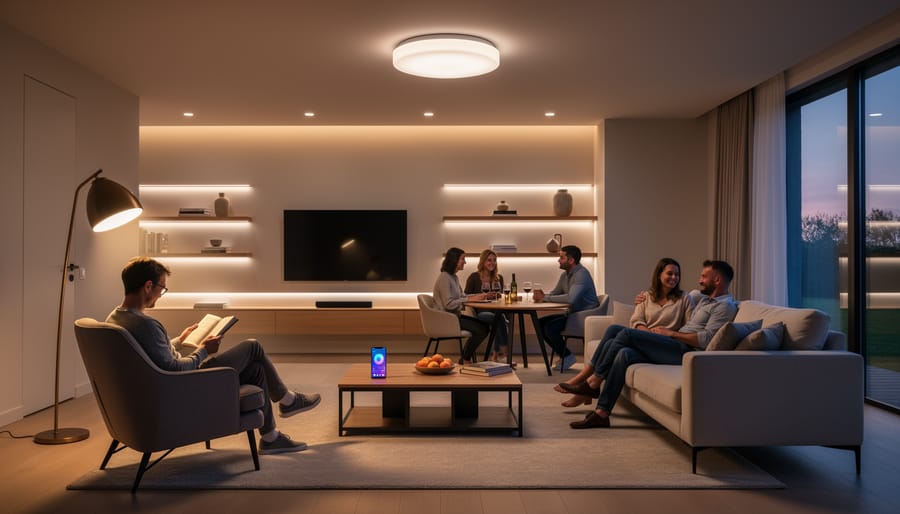
In a thoughtfully designed smart system, each lighting layer operates on its own control channel while remaining aware of the others. Your ambient ceiling lights might automatically adjust their brightness and color temperature as natural daylight changes, maintaining consistent illumination levels without manual intervention. Meanwhile, your task lighting at a desk or kitchen counter stays at full brightness when sensors detect activity in those zones, regardless of what the ambient layer is doing.
The real power emerges when these layers coordinate. A morning routine might bring ambient lights up to cool, energizing tones at 70 percent while task lights in the bathroom activate at 100 percent. The same ambient fixtures shift to warm, dimmed tones for evening relaxation, while accent lights highlighting artwork intensify to become focal points. A single “movie time” scene can dim ambient lighting to 10 percent, turn off task lighting entirely, and add subtle accent uplighting behind the television, then reverse everything when the scene ends.
This coordinated independence prevents the common smart lighting mistake of treating all lights as one zone, which creates flat, institutional-feeling spaces that defeat the purpose of layered design.
Control Architecture That Makes Sense
The best smart lighting system is one your family can operate without thinking about it, and that means designing controls around how people actually interact with spaces, not how engineers interact with apps.
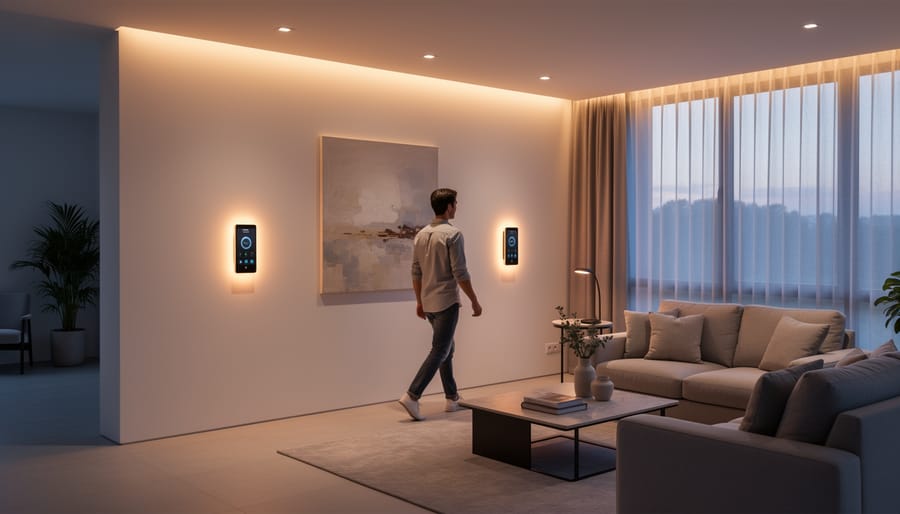
Start with physical controls for essential functions. Wall switches should still do what people expect: turn lights on and off. Smart switches that require opening an app just to illuminate a dark room create friction, not convenience. Layer automation and app control on top of this foundation, never as a replacement for it.
Match control methods to user capability and frequency. Voice control works beautifully for occasional adjustments (“dim the kitchen lights”) but fails when guests visit and don’t know your smart home commands. Sensors excel for spaces people pass through, hallways, closets, garages, where manual switching is inconvenient. Apps shine for creating custom scenes and schedules, not for everyday switching.
Consider who uses each space. A teenager’s bedroom might rely heavily on app and voice control, while grandparents visiting the guest room need obvious physical switches. Multi-generational households require redundant control options: the same lights accessible via switch, sensor, app, and voice.
The goal isn’t maximum technological sophistication, it’s invisible operation where lights respond naturally to life’s rhythms.
Future-Proofing Your Design
Smart lighting protocols evolve rapidly, but you don’t want to redesign your entire system every few years. Choose platforms with open standards like Matter, which ensures components from different manufacturers work together and won’t become orphaned when one company pivots. Look for systems that support over-the-air firmware updates so your existing hardware can gain new features.
Design with expansion in mind. Select controllers and hubs rated for more devices than you currently need, if you’re starting with 15 smart lights, choose a system that handles 50 or more. This headroom lets you add outdoor lighting, new rooms, or additional sensors without hitting limits.
Avoid ecosystems that lock you into proprietary bulbs or fixtures. Systems where you can swap components, replacing a smart bulb with a different brand that uses the same protocol, for instance, give you flexibility as technology improves and your needs change.
Planning Your Smart Lighting Integration
Mapping Space Usage and Activities
Before you buy a single smart bulb, spend a week observing how you actually use each space. Walk through at different times, morning routines, afternoon work sessions, evening relaxation, and note what you’re doing, where you need light, and what mood supports that activity.
Start with a simple chart: list each room, the activities that happen there, and when they typically occur. A living room might host morning coffee and emails at 7 AM, serve as a playroom at 4 PM, then transform into a movie-watching space at 8 PM. Each activity demands different lighting: bright task lighting for work, moderate ambient light for play, and dim accent lighting for films.
Pay special attention to multi-purpose spaces. Home offices that double as guest rooms need completely different lighting profiles depending on whether someone is working at a desk or winding down for sleep. Map both use cases thoroughly.
Look for natural triggers that could automate scene changes. When does your family typically shift from dinner to evening activities? What time do you usually start your morning routine? These patterns become the foundation for automation that feels effortless rather than gimmicky, because it mirrors how you already live.
Defining Scenes and Behaviors
A scene library works when it reflects how you actually live rather than showcasing every possible feature. Start by tracking a typical week: which lighting needs repeat daily, which happen occasionally, and which require split-second adjustment. Your daily coffee ritual needs different light than hosting dinner guests.
Build core scenes around genuine transitions in your day. “Morning wake-up” might gradually brighten over fifteen minutes. “Focus work” eliminates glare and shadows where you read or type. “Evening relax” dims overhead lights while adding warm accent lighting. Name scenes clearly, “entertaining” tells you more than “scene 3.”
The automation decision separates predictable patterns from personal preference. Automate what happens at consistent times: security lighting at sunset, bedroom dimming at 10 PM, workspace brightening on weekday mornings. Leave manual control for variable activities like movie watching or dinner parties, where timing and mood shift with the occasion.
Most households need six to eight well-designed scenes, not twenty mediocre ones. Each should solve a specific lighting problem you’ve actually experienced. The best scene library feels invisible because the right light appears exactly when you need it.
Technical Specification Development
Once you’ve defined your scenes and behaviors, you need to translate that vision into concrete specifications that installers, electricians, or vendors can execute. This technical documentation bridges the gap between what you want to achieve and how the system will actually function.
Start by creating a fixture schedule that lists every light source in your design. For each location, specify the fixture type, lamp specifications (color temperature, CRI, beam angle), dimming requirements, and control protocol. Note whether you need energy-saving LED fixtures with integrated drivers or retrofit bulbs. Include power requirements for each circuit to ensure your electrical infrastructure can support the load without overloading circuits or requiring expensive panel upgrades.
Next, document your control architecture. Map which fixtures belong to which control zones and how they’ll communicate, whether through Zigbee, Z-Wave, Thread, Wi-Fi, or wired protocols like DALI or DMX. Specify sensor locations and types (motion, daylight, occupancy), switch placements, and any required gateways or hubs. This control diagram becomes essential for installation and future troubleshooting.
Finally, identify integration points with other systems. Will your lighting sync with motorized shades, HVAC controls, or security systems? These interconnections often require additional hardware interfaces or compatible protocols. Some designers use lighting design software to visualize layouts and generate specification sheets, though spreadsheets work fine for simpler projects. The goal is creating clear documentation that eliminates guesswork during installation and ensures every component works together as designed.
Choosing the Right Smart Lighting Components
Smart Fixtures Versus Smart Bulbs
The choice between integrated smart fixtures and retrofit smart bulbs fundamentally impacts your design’s aesthetics, performance, and long-term flexibility.
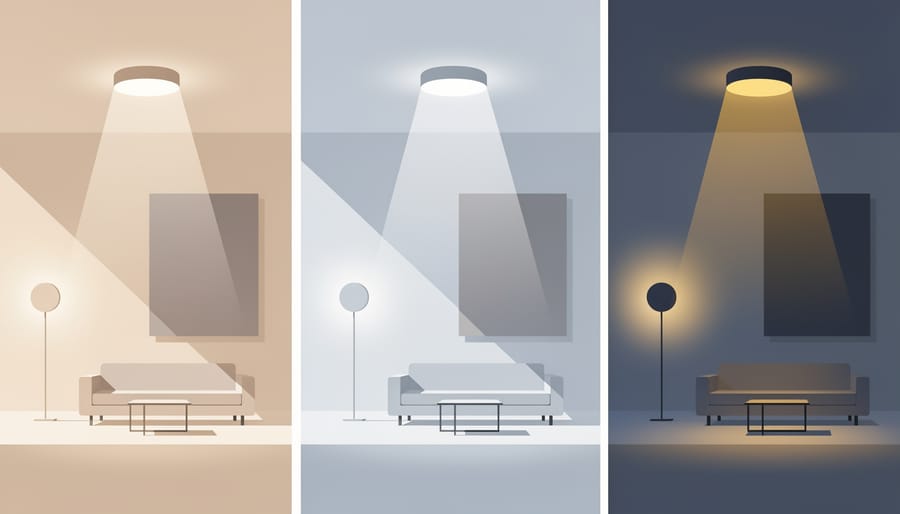
Smart bulbs offer the most accessible entry point, they thread into existing sockets, preserving your current fixtures while adding intelligence. This approach works brilliantly when you’ve invested in quality decorative fixtures you want to keep, or when you’re testing smart lighting in select areas before committing to a full system. The trade-off? Bulb-based systems require the fixture’s power to remain on at the switch, which can confuse guests and create control conflicts. You’ll also face limitations with dimming performance and color rendering compared to purpose-built smart fixtures.
Integrated smart fixtures embed intelligence directly into professionally designed housings. They deliver superior light quality, cleaner aesthetics without visible bulb shapes, and eliminate the “always-on switch” problem through integrated controls. When you compare light fixtures across both categories, integrated options typically cost two to four times more upfront but provide better thermal management for electronics, longer service life, and more sophisticated optics designed specifically for LED performance.
The smart choice? Use integrated fixtures for primary architectural lighting, recessed cans, linear systems, and statement pieces where quality matters most. Deploy smart bulbs strategically in table lamps, pendant fixtures with visible bulbs, and spaces where you want flexibility to change fixture styles without replacing smart technology.
Control Interface Selection
The best smart lighting designs blend multiple control interfaces rather than forcing users into a single method. Wall switches remain essential for intuitive, immediate control, position smart switches in expected locations where conventional switches would be, maintaining familiar interactions even for guests. For spaces with consistent usage patterns, passive controls like occupancy sensors and time-based automation reduce daily friction, automatically handling routine lighting without any conscious action.
Apps shine for complex scene adjustments and system configuration but frustrate users when required for basic on/off control. Reserve app interfaces for occasional fine-tuning, changing colors for a party, programming vacation modes, or adjusting brightness curves, not everyday use. Voice control works brilliantly as a supplementary interface for hands-free moments (cooking, carrying items, bedtime) but shouldn’t be the only option, since it fails during internet outages and feels awkward in some social situations.
Create a comparison chart mapping each room’s control needs: which interfaces suit specific activities and users. Elderly family members might need physical switches exclusively, while tech-comfortable household members appreciate voice shortcuts. The strongest designs layer controls, physical switches for reliability, sensors for convenience, apps for customization, and voice for accessibility, ensuring the system remains functional and intuitive regardless of who’s using it or what’s happening with your network.
Hub and Gateway Considerations
The hub-or-no-hub decision fundamentally shapes your system’s reliability and capabilities. Some smart lighting ecosystems operate entirely through cloud services, they’re simple to set up but dependent on internet connectivity and manufacturer server availability. A local hub processes commands within your network, maintaining functionality during outages and typically responding faster to triggers.
You’ll need a hub when connecting devices using Zigbee or Z-Wave protocols, which can’t communicate directly with your router. Wi-Fi and Bluetooth devices often skip the hub but sacrifice some reliability and create network congestion with many fixtures. For complex designs requiring stable automation, especially in commercial settings or homes with elaborate scenes, local processing through a hub proves more dependable than cloud-dependent systems that fail when connectivity drops.
Smart Lighting Design by Space Type
Residential Applications
In homes, smart lighting design delivers benefits that go far beyond convenience. Start by supporting your body’s natural rhythms: warm white tones (2700K or lower) in the evening help maintain healthy sleep patterns because research shows blue light suppresses melatonin production. Program your bedroom and living spaces to automatically shift warmer as the day progresses, then introduce bright, cooler light in the morning to help you wake naturally.
Energy savings accumulate quickly when you combine occupancy sensing with daylight harvesting. Motion sensors in hallways, closets, and laundry rooms prevent lights from staying on unnecessarily, while sensors in kitchens can dim under cabinet lighting when natural light is sufficient. Studies confirm that lighting controls cut energy use by 30-60% depending on the application.
For security, integrate outdoor fixtures with cameras and door sensors so your porch lights react to arrivals, and interior lights simulate occupancy when you’re away. The most successful residential designs balance automation with manual overrides, letting family members adjust lighting for specific activities like movie nights or homework sessions without fighting the system.
Commercial and Office Environments
Commercial offices demand smart lighting that balances three often-competing priorities: energy compliance, worker comfort, and operational efficiency. Modern energy codes impose strict mandatory lighting controls requirements including automatic shutoff, partial-off capability, and daylight harvesting in buildings above certain sizes. Your smart lighting design must meet these thresholds while creating an environment people actually want to work in.
Occupancy sensing forms the compliance backbone but needs nuanced implementation. Conference rooms benefit from immediate-on, delayed-off sensors, while open offices work better with gradual dimming that signals the system detected no movement rather than plunging distracted workers into darkness. Daylight sensors near windows should communicate with interior zones to maintain consistent perceived brightness across the floor plate as natural light shifts.
The employee control question has no universal answer. Complete individual control over desk lighting improves satisfaction but complicates energy reporting and creates visual chaos in open plans. A hybrid approach works well: centralized scheduling and occupancy management with local override capability that reverts to the programmed state after a set period. Give people the agency to adjust their immediate environment while maintaining the design intent and compliance automation that makes the system worthwhile.
Hospitality and Event Spaces
In hospitality and event venues, smart lighting design becomes a powerful tool for creating atmosphere and driving revenue. The ability to transform a ballroom from corporate conference mode to elegant wedding reception in minutes, without repositioning a single fixture, delivers operational efficiency that traditional lighting cannot match.
Preset scenes form the foundation of effective event lighting. Design a library of fully-programmed lighting states for common configurations: theater-style presentations with focused stage lighting and dimmed house lights, cocktail reception with warm ambient glow and highlighted architectural features, dinner service with intimate table lighting, and high-energy dance mode with dynamic color. Each scene should be callable with a single button press, enabling staff to execute complex lighting changes without technical expertise.
Color-changing capability extends versatility dramatically. RGBW fixtures allow clients to brand spaces with corporate colors or match wedding themes without gels or fixture swaps. However, specify high-CRI white channels alongside color LEDs to ensure flattering skin tones during dining and photography, pure RGB produces unflattering complexions that guests notice immediately.
Control interfaces must prioritize operator simplicity. Event staff work under pressure with tight timelines. Wall-mounted touchscreens with clearly labeled scene buttons outperform app-based controls that require unlocking phones and navigating menus. Include manual override capability for unexpected needs without requiring system administrator access.
Common Smart Lighting Design Mistakes to Avoid
Even the most sophisticated smart lighting technology can fail if the underlying design doesn’t account for real-world use. Many installations create more frustration than convenience because certain predictable mistakes weren’t avoided during planning.
Designing for Technology Instead of People
The most damaging mistake is selecting components based on features and specifications rather than how people will actually interact with the system. A lighting design that requires pulling out your phone to adjust brightness, navigating through multiple menus, or remembering which scene name corresponds to which setting has failed regardless of its technical capabilities.
Successful designs ensure the most common adjustments remain simple. Wall switches should still control lights intuitively, automated behaviors should feel natural rather than surprising, and app-based controls should be for fine-tuning rather than basic operation.
Over-Automating Without Manual Overrides
Aggressive automation without easy manual override creates situations where the system fights against users. Motion sensors that turn lights off while someone is reading quietly, or automated dimming that happens during a video call, demonstrate automation that lacks contextual awareness.
Always provide straightforward ways to temporarily override automated behaviors. A simple wall switch press or voice command should pause automation without requiring system reconfiguration.
Ignoring Network Reliability and Complexity
Creating systems dependent on Wi-Fi connectivity, cloud services, or complex device mesh networks without considering failure modes leads to lights that won’t respond when internet is down or a single device fails. The more connection points required for a light to function, the more failure opportunities exist.
Prioritize systems with local processing and direct communication paths between controls and lights for critical areas. Save cloud-dependent features for enhancement rather than core functionality.
Inadequate Planning for Lighting Layers
Installing only smart overhead fixtures without task or accent lighting limits what scenes can accomplish. No amount of smart control can make a single ceiling fixture provide both ambient background lighting and focused task illumination, the physics simply doesn’t work.
Design the complete layered lighting solution first, then add smart control to each layer. This creates genuine scene flexibility rather than just dimming the same insufficient light source.
Working With Lighting Design Professionals
Many smart lighting projects start as DIY endeavors, and for single rooms or straightforward upgrades, that approach works well. You can install smart bulbs in existing fixtures, set up basic scenes, and enjoy immediate benefits without professional help. But knowing when to bring in expertise prevents costly mistakes and ensures your investment delivers its full potential.
Consider professional consultation when you’re planning whole-home integration, coordinating with architectural renovations, designing for commercial spaces, or tackling complex multi-zone systems. The cost of professional design services becomes negligible compared to the expense of replacing incompatible components, redesigning failed control schemes, or living with a frustrating system that never quite works as intended.
Professional lighting designers bring specialized knowledge of fixture photometrics, control protocols, code compliance, and integration strategies that aren’t obvious from product specifications. They ask questions you might not consider: How will glare affect your television viewing? What happens when multiple automation routines conflict? How does your emergency lighting integrate with smart controls?
When engaging a professional, arrive prepared with clear information about your goals, budget, and must-have features. Share photos of your spaces, describe how you use different areas throughout the day, and be honest about your comfort level with technology. The best designers translate your lifestyle needs into technical specifications rather than imposing their preferred systems.
Expect a thorough discovery process, detailed lighting calculations, fixture specifications, control architecture diagrams, and scene programming guidance. Professional services typically include design consultation, specification development, and sometimes programming support, though installation usually involves separate electrical contractors who execute the designer’s plans.
Smart lighting design succeeds when technology serves people, not the other way around. The most effective systems emerge from understanding how you actually live, work, or use your spaces before selecting a single fixture or controller. This approach requires balancing aesthetic vision with technical capability while keeping the user experience at the center of every decision.
The temptation to start with products is strong. Smart lighting has become accessible and affordable, making it easy to buy components and figure out the design later. But this backward approach creates systems that feel fragmented, controls that confuse rather than simplify, and lighting that never quite delivers on its promise. Starting with clear goals, mapping real usage patterns, and developing a cohesive plan transforms smart lighting from a collection of gadgets into an integrated environment that genuinely improves daily life.
Whether you’re designing for a single room or an entire building, the principles remain consistent. Layer your light thoughtfully. Design controls that feel intuitive. Plan for evolution rather than obsolescence. Consider how automation can anticipate needs without removing human agency. The technology itself matters less than how well it serves your specific requirements.
If you’re feeling overwhelmed by the planning process or uncertain about technical specifications, professional guidance can accelerate your project and prevent costly mistakes. DonsBulbs offers consultation services to help translate your vision into a comprehensive smart lighting design that balances beauty, functionality, and intelligent automation. Sometimes the best investment isn’t in more technology but in expertise that ensures everything works together seamlessly from day one.